There is no substitute for journaling on paper. I first started keeping a regular journal, in fits and starts, back in 2014. I used the Day One app back then. Over time it became a several-entries-daily habit. I’m grateful I had Day One back then. It was the first thing that finally got the journaling habit to stick, and it’s the habit that led to me to start putting things on paper.
I eventually tapered off of Day One around 2020, when I had fully transitioned to the ever-growing stack of paper journals. But seeing my beautiful journals accumulate on the bookshelf eventually made me annoyed that my older journals were trapped on my phone/in The Cloud™. Luckily, old Mark anticipated this, and exported the JSON archive from the app. I figured I’d do something with it someday. Last year, I lazily poked at the file, trying to get it into something usable. Then I put it on the backburner for a while, as my skill and attention level was too low to manage it at the time.
After a few months of school, I decided to revisit. My goals were fairly simple: extract the worthwhile stuff, make it look decent, and get it printed & bound. And so I took a nebulous cloud of memories and feelings and put them into a pair of 600-page A5 hardbacks. I think they turned out pretty well!

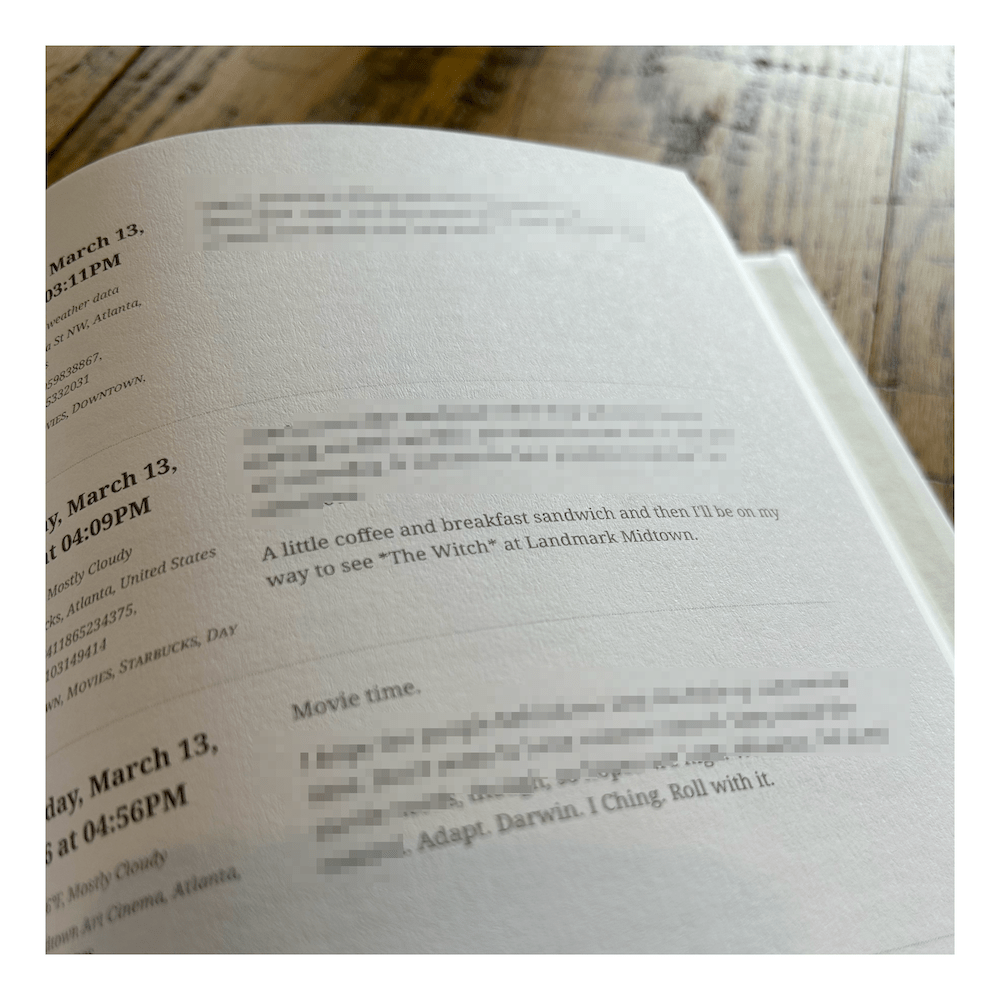


I wanted a two-column layout so I could easily search/skim by the date. The left column also has the location, weather, and tag metadata for each entry. I had the thought to use the tags to create an index, but skipped implementation because I just really needed to get it finished. I was pretty rigorous with tagging, though, and think I could have done some cool things with it.
I used a pretty straightforward Python script to parse the JSON to grab the journal entries, assemble them into HTML blocks, and stitch them all together. I added a dash of CSS to get the layout where I wanted it. With all entries assembled, the script converts the HTML to a PDF. And the PDF, I sent that off to a printer – I used Mixam without really doing much research. I’m happy enough with the results, and appreciated their simple interface to upload and preview the content. (Funny surprise to see the actual printing and shipping was done in the UK. These journals have traveled more than I have lately.)
I’ll share my script below. It’s tailored to my particular vision for the final printed book and their standard export format circa 2020, but should be easily adaptable for other goals.
import json
import re
from datetime import datetime
from weasyprint import HTML
# Define regex to find unused image references
# example: \n\n
image_pattern = re.compile(
r'^\s*!\[\]\(dayone-moment:\/\/[A-Z0-9]{32}\)\n*$', re.MULTILINE)
p_break = re.compile(r'<p>\s*<br\s*/?>')
# Initialize HTML document as list of entries
html_parts = [
"""
<!DOCTYPE html>
<html lang="en">
<head>
<meta charset="UTF-8">
<meta name="viewport" content="width=device-width, initial-scale=1.0">
<title>Journal Entries</title>
<link rel="stylesheet" href="style.css">
</head>
<body>
"""
]
# Read the JSON file
with open('DayOneSample.json', 'r', encoding='utf8') as file:
data = json.load(file)
# Iterate over entries, parse data, append to list
for entry in data['entries']:
# convert datetimes
raw_date = datetime.strptime(entry['creationDate'], '%Y-%m-%dT%H:%M:%SZ')
date_line = raw_date.strftime('%A, %B %d, %Y at %I:%M%p')
# use regex to remove image references
journal_entry = image_pattern.sub("", entry['text'])
# process text to remove extraneous newlines
journal_entry = journal_entry.replace('\n\n', '</p><p>')
journal_entry = journal_entry.replace('\n', '<br>')
journal_entry = journal_entry.replace('<br><br><br><br>', '<br>')
journal_entry = journal_entry.replace('<br><br><br>', '<br>')
journal_entry = journal_entry.replace('<p><br>', '<p>')
# parse location data
location_info = entry.get('location', {})
city = location_info.get('localityName', 'Unknown')
place = location_info.get('placeName', 'Unknown')
lat = location_info.get('latitude', 0)
long = location_info.get('longitude', 0)
country = location_info.get('country', 'Unknown')
# parse weather data
weather_info = entry.get('weather', {})
wx_temp = ((weather_info.get('temperatureCelsius', 0) * 9) / 5) + 32
wx_description = weather_info.get(
'conditionsDescription', 'No weather data')
wx_line = f"{wx_temp}°F, {wx_description}"
# fetch the tags
tags = ', '.join(entry.get('tags', []))
# append HTML entry + metadata to list
html_parts.append(f"""
<div class="journal-entry">
<div class="entry-metadata">
<h3>{date_line}</h3>
<p class="geo">☉ {wx_line}</p>
<p class="geo">⌂ {place}, {city}, {country}</p>
<p class="geo">☷ {lat}, {long}</p>
<p class="tags">༶ {tags}</p>
</div>
<div class="entry-content">
<p>{journal_entry}</p>
</div>
</div>
""")
# Close and assemble the HTML entries
html_parts.append("""
</body>
</html>
""")
html_content = ''.join(html_parts)
html_content = p_break.sub('<p>', html_content)
# Write entries to HTML file and generate PDF
with open('sample.html', 'w', encoding='utf8') as file:
file.write(''.join(html_content))
HTML('sample.html').write_pdf('sample.pdf')
 Mark Larson